Service
Google Cloud penetration testing for projects and service accounts
Google Cloud penetration testing checks how your projects, IAM bindings and service accounts hold up against someone who gets a foothold. In Google Cloud, service accounts are usually the shortest route to trouble.
- Named tester before day one
- One retest within 30 days
- OWASP WSTG and NIST SP 800-115
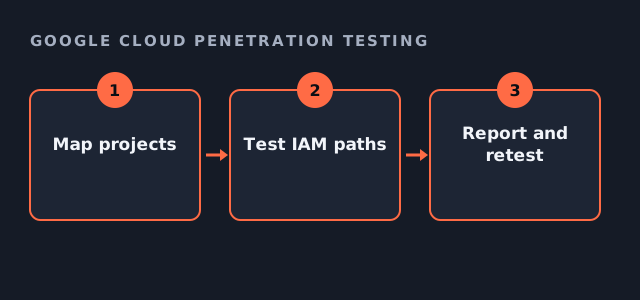
Where Google Cloud penetration testing looks
Permissions in Google Cloud are inherited from the organisation, folders and projects. So a binding set high up can quietly grant access far below.
- IAM bindings at organisation, folder and project level
- Service account keys and impersonation rights
- Cloud Storage buckets and their public access settings
- Firewall rules and exposed compute instances
- Secrets in Cloud Build, Cloud Run and Functions
Google's guidance on testing
Google lets customers test their own projects without prior approval, provided they follow its acceptable use rules. The Google Cloud guidance on penetration testing is the reference we cite. Therefore your scope names your projects and nothing on the shared platform.
Google Cloud penetration testing readiness
Tick what is in place. It shortens scoping and sharpens the result.
Your result appears here as you tick, so you can see what is still open.
Service accounts and impersonation
A common finding is a developer who can impersonate a service account with far wider rights. That one permission can turn read access into control of a whole project. Consequently, Google Cloud penetration testing spends real time on who can act as whom.
What the Google Cloud penetration testing report contains
Each finding shows the binding or resource involved, the path we used and the change that removes it. In addition, there is an executive summary and a short attestation letter. One retest inside 30 days confirms the fixes.
Price and scope
This work sits in our published cloud range of $10,000 to $50,000. The number of projects, and how many teams deploy into them, drive the fee. A single production project sits low, while an organisation with many folders sits higher.
Google Cloud penetration testing questions
Do we need Google's permission for Google Cloud penetration testing?
Not for your own projects within its acceptable use rules. We confirm the current guidance during scoping.
Does it cover Google Workspace?
Only if you add it. Workspace is a separate scope with its own admin roles.
Can Google Cloud penetration testing run in staging only?
Yes, although we usually add a read-only review of production so the configuration you actually run is checked.
How long does it take?
Hands-on work runs three to ten days depending on the number of projects, then the report follows.
Related guides
Scope your Google Cloud penetration testing
Tell us the number of projects and what runs in them. We reply with a written scope and a fixed fee.
Get my estimate